
On the dashboard: Engagement > Details
Details on the Engagement tab allow users to compare request and response parameters across multiple dimensions based on the selected time frame.
Parameters which can be compared across multiple dimensions:
- Requests Received : The total number of requests received against which the conversation links are to be sent out through the channels configured.
- Requests Delivered : Total number of requests against which the conversation link was successfully delivered to the customer through any channel or trial.
- Responses Received : Total number of customers who responded on the conversation link shared to them over any channel or trial
- Response Rate : Percentage of Responses Received out of the total Requests Delivered
Details view is available at both account and project level.
Options available for comparison vary based on level:
- Project Comparison – Available at account level
- Time Comparison– Available at account and project level
- Hierarchy Comparison – Available at project level
All available details are populated on a list distributed between pages. One page displays a maximum of 10 values.
Click on the < and > arrows to navigate to the next or previous page. There is also an option to search by value in the search box.
Project Comparison
The option to compare details by project is only available at account level and the showcases request and response parameters for all projects. There is also the option to filter out and view projects which have the same primary rating at once.
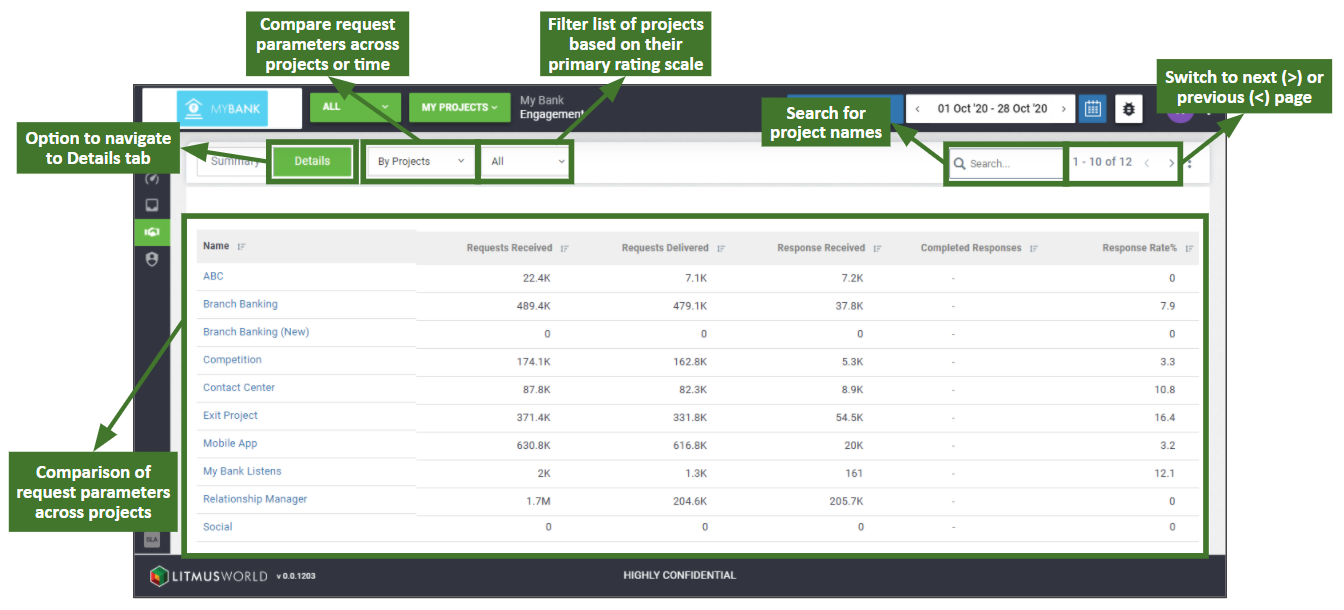
The scale selector is available in project comparison listing down all the different primary rating scales of projects set up with an account and the ‘All’ option is selected by default. Clicking on a project name from the list available navigates one to the Engagement Tab for that particular project.
Time Comparison
The time comparison option is available at account and project level and allows users to compare request and response parameters over time. The time comparison can be accessed by selecting ‘By Date‘ option from the dropdown with list of dimensions available for comparison.
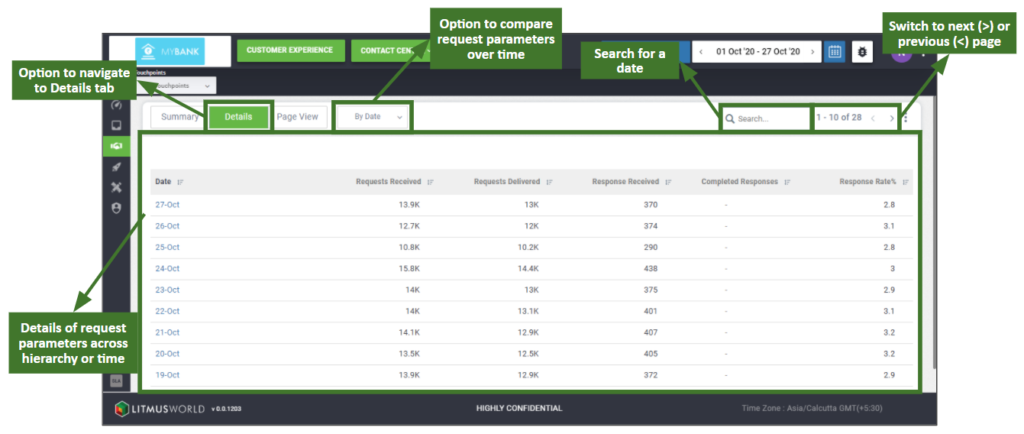
The comparison option lists every day within the selected time frame, with details of the request and response parameters against each value.
Hierarchy Comparison
The hierarchy comparison option is available at project level and allows users to compare request and response parameters across the hierarchy.
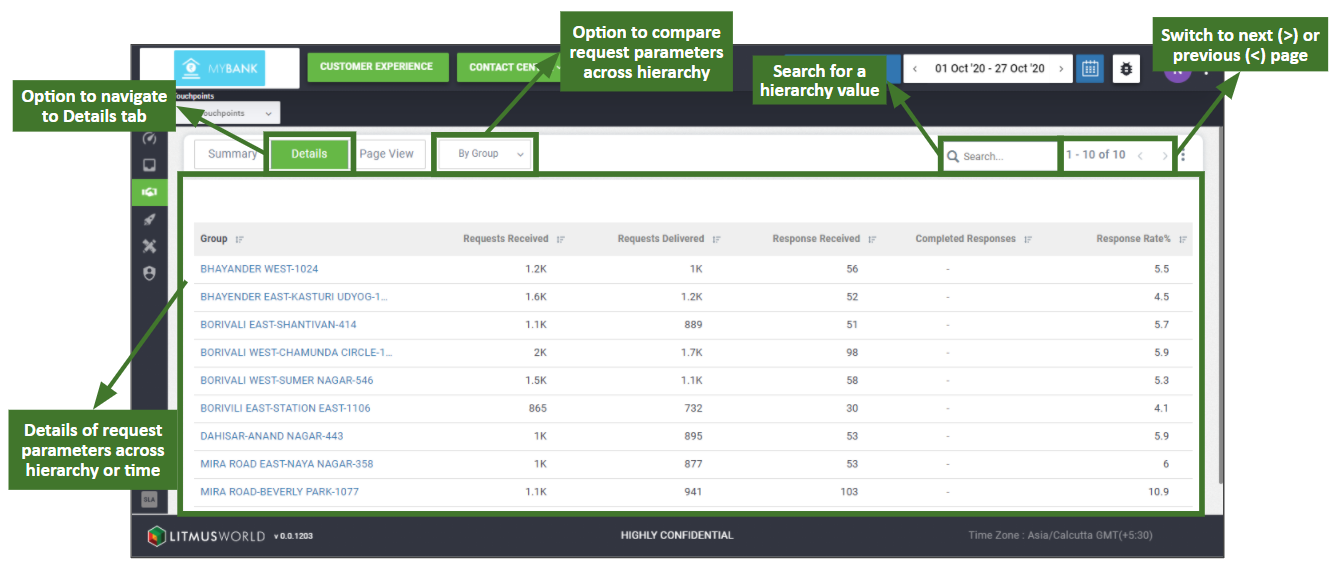
Click on any of the values available in the left column to traverse through the hierarchy. This provides details for the next level in the hierarchy for comparison.