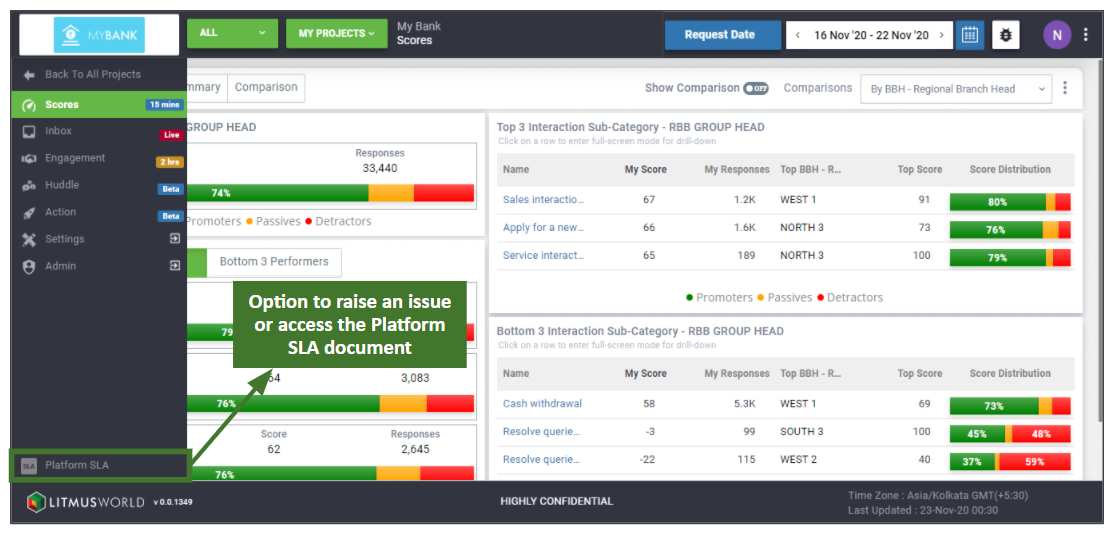
Use the left panel to navigate across the dashboard. The panel expands out when hovered over and displays icons with the tab name and update frequency.
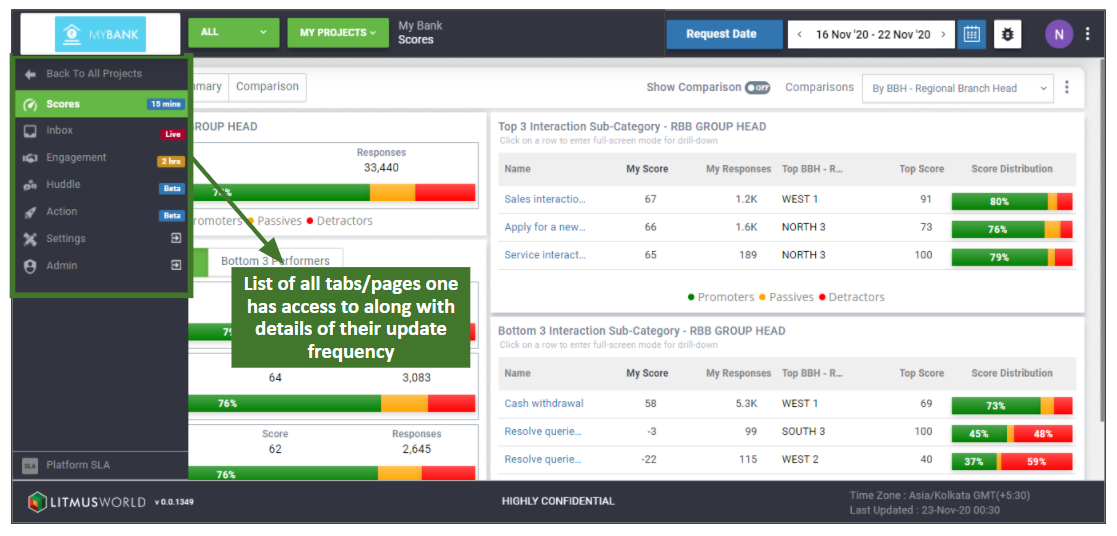
Tab Navigation
The selected tab is highlighted in green. Click on any icon to navigate between tabs. The options available on the account and project dashboard for selection varies based on the user access provided.
Available tabs:
| Tab Name | Description |
| Scores | Summarizes experience scores at account and project level by providing analysis and aggregation of responses received against different questions. |
| Inbox | Reflects the list and detailed view of customer responses received at account and project level. |
| Engagement | Provides summary and comparison of requests metrics across the request journey at account and project level. |
| Huddle | Capture summary of discussion through action plans, along with recognizing achievements of fellow employees and highlighting suggestions for process improvements. |
| Action | Assesses effectiveness of servicing customers by summarizing actionable tickets and their respective ageing and TAT details at project level. |
Additional Controls
Navigate from the project dashboard to the account dashboard by clicking on the back arrow on the top of the left panel.
Other options: Raise an issue or access the Platform SLA document, on the bottom of the left panel.