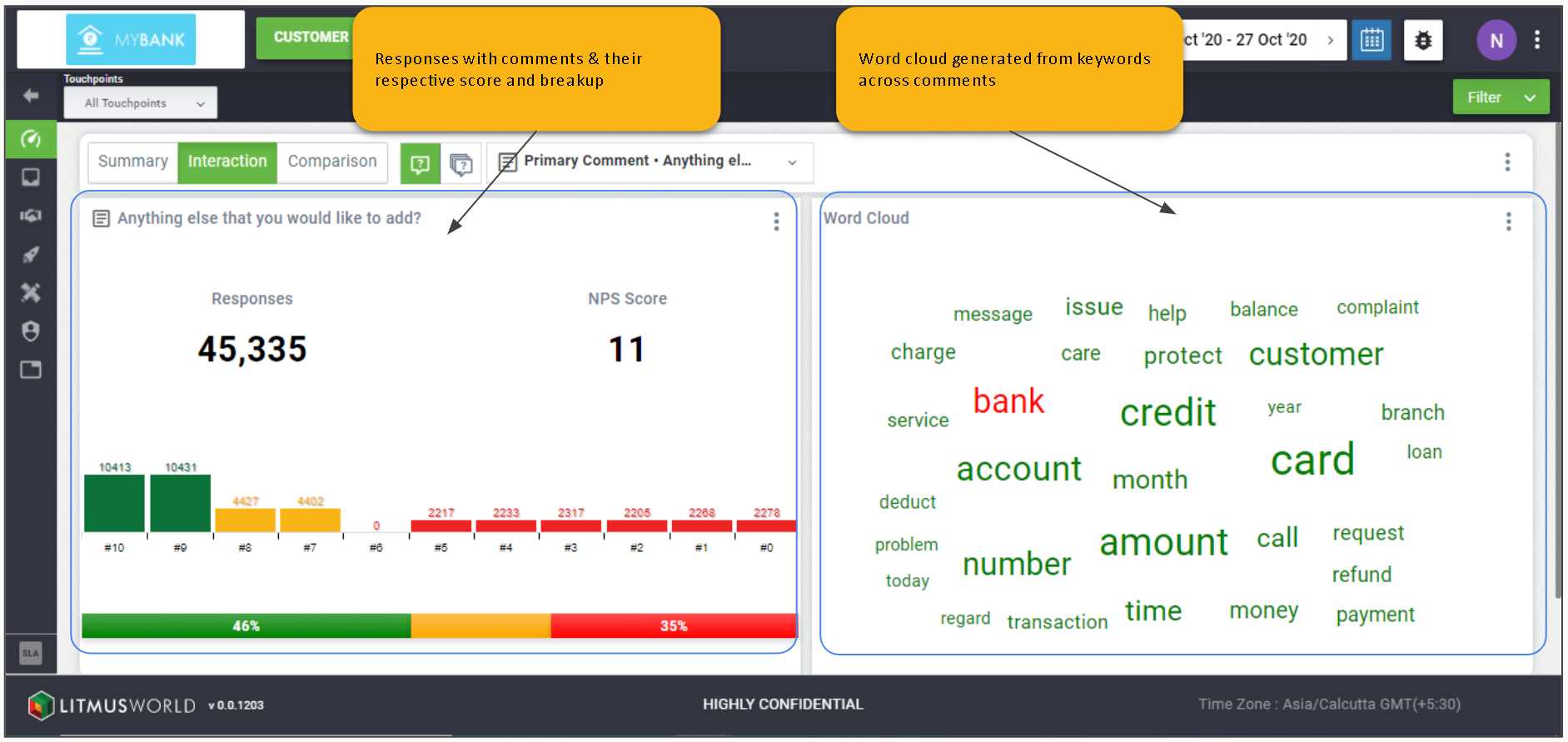
On the dashboard: Scores > Interaction
Question
Questions make up a conversation (project). These questions can either be rating scales, multi choice questions, text boxes, labels, friendly referrals or a combination of these.
Project Level
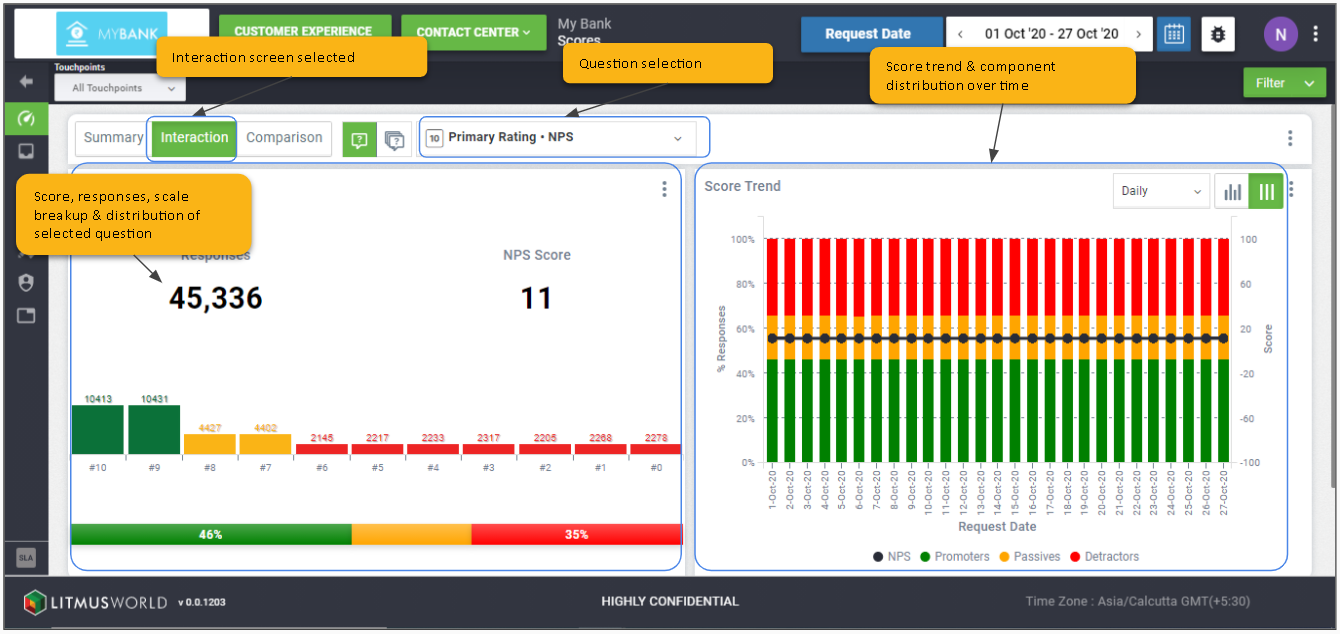
Primary Rating
Click the Question Selector > Primary Rating
Score, total responses received, distribution of responses across the scale & its components, and a trend chart for every question in a project.
All Questions
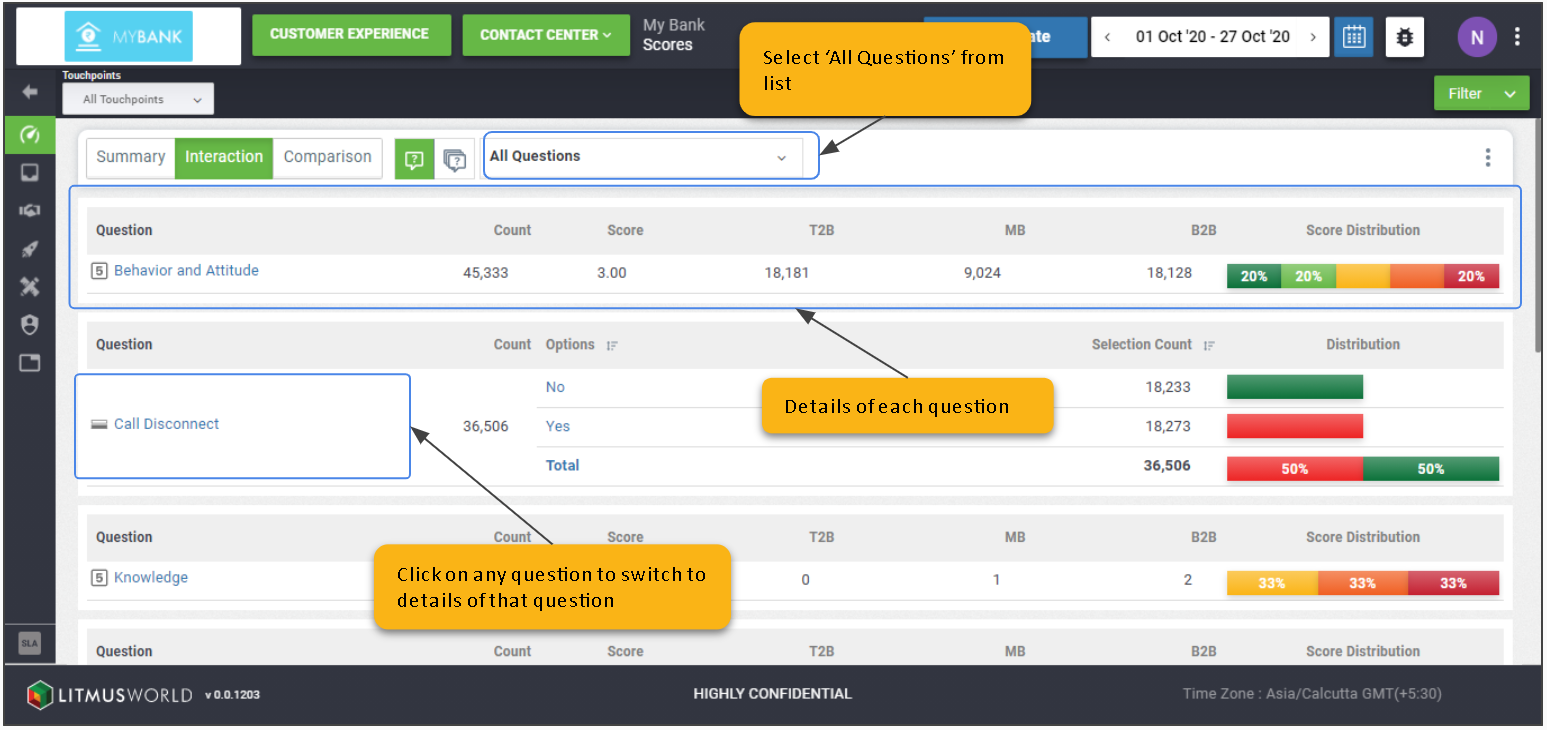
Click the Question Selector > All Questions
The all questions view provides a summary of the entire conversation by listing down all questions in the conversation and providing their aggregates scores and details.
Single Select Questions
Click the Question Selector > (Select the relevant question)
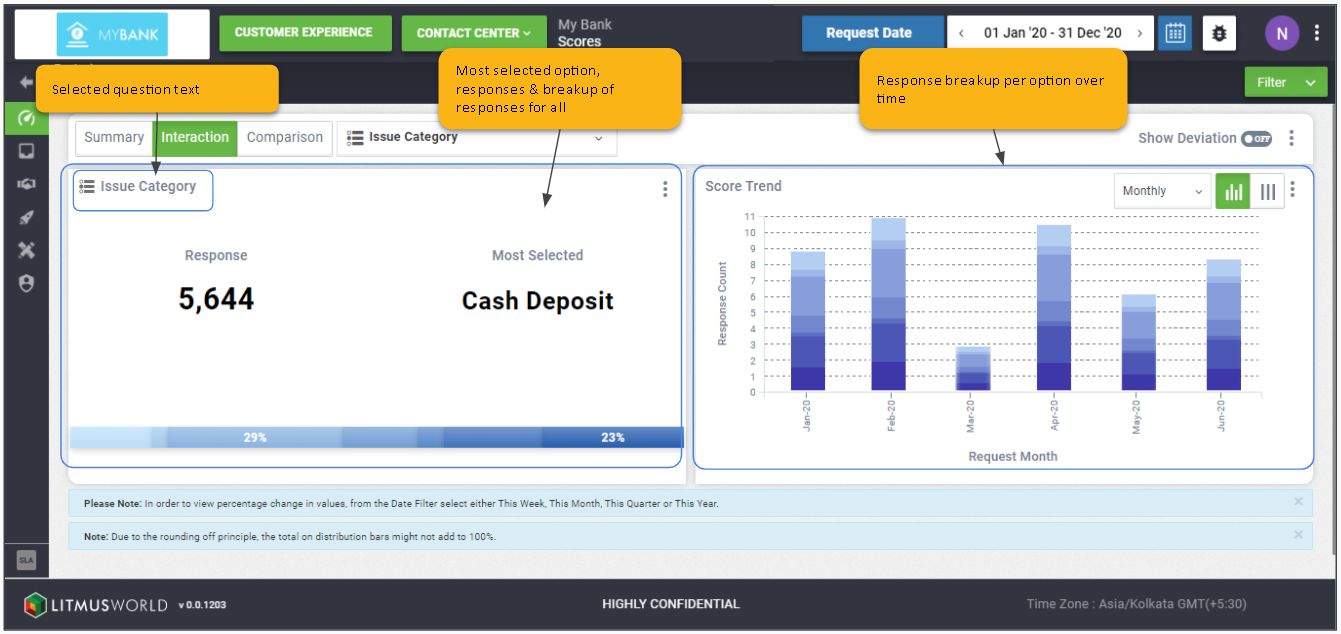
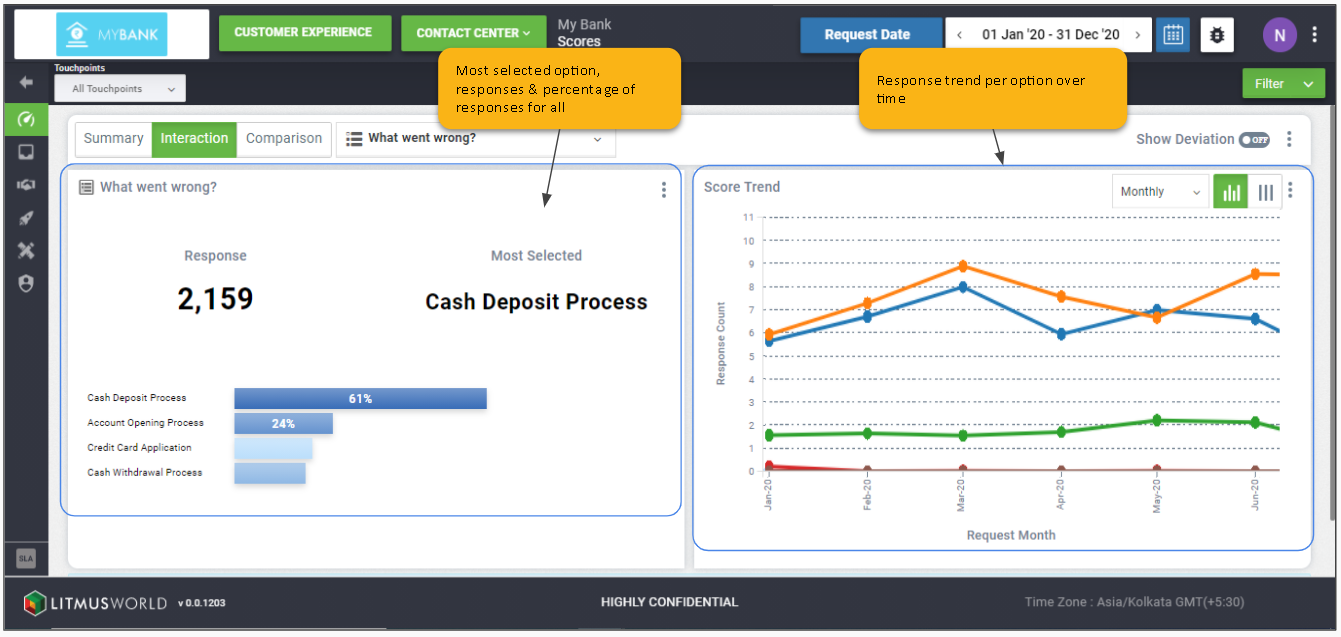
Highlights the most selected option and total number of responses received. It also includes the distribution of responses received for each option and its trend over time.
Multi-Select Questions
Click the Question Selector > (Select the relevant question)
Highlights the most selected option and total number of responses received. It also includes the percentage of responses received for each option and its trend over time.
Text Interaction
Click the Question Selector > Primary Comment
A word cloud is available for all text questions which gives a pictorial representation of keywords used most often in comments received at a project level. It also includes the count of responses which include customer comments and their respective score.